Libby is implementing a security requirement starting Thursday • October 15, 2026.
To access your digital shelf, you will need to enter your library password.
Do you need a password? Change your password?
You must have an email account on file with Adams Memorial Library to create or change a password. If you have an email account with Adams Memorial Library, you can follow the steps below to create or reset your password. If you do not have an email on file, please call the library at 615-563-5861.
- Go to the library website: Navigate to the Adams Memorial Library website/catalog.
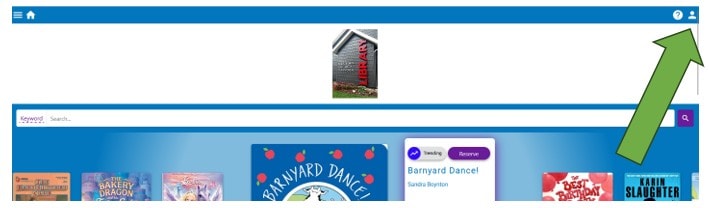
- Locate account management: Click on “Manage Account” in the upper right-hand corner.
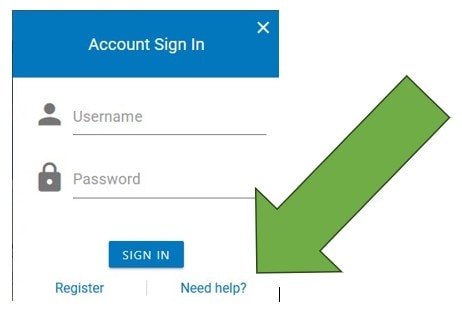
- Manage Account will open the Account Sign In click on the Need Help text
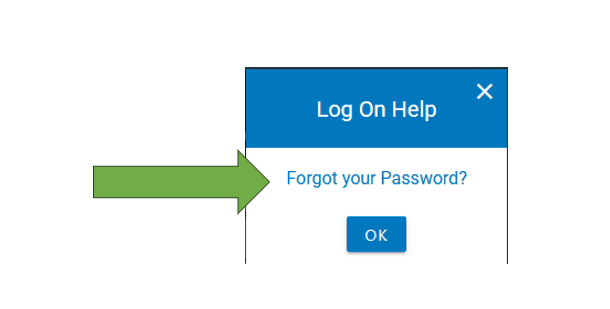
- The Log On Help Dialogue box will pop up, Click the “Forgot your Password?” text. Do not click the “OK” button.
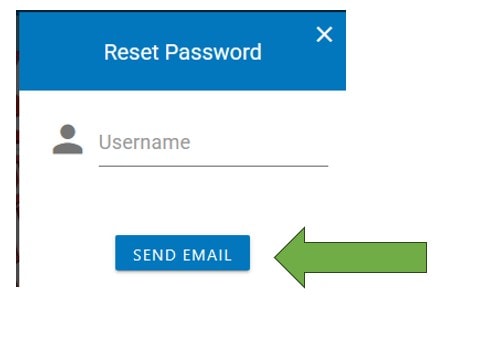
- This will open the Reset Password dialogue box – your username is your library card number (see barcode on the back of your library card). If you do not know what email you have on file, please call the library at 615-563-5861.